
In 2026, manual data entry isn’t just tedious; it’s a competitive disadvantage. For small business owners, solo founders, and ops managers, workflow automation platforms have transitioned from “nice-to-have” luxuries to essential infrastructure. By connecting your favorite apps and automating repetitive tasks, you can scale your operations without proportionally scaling your headcount.
When evaluating no-code automation platforms, two names consistently dominate the conversation: Zapier and Make (formerly Integromat). Both are powerhouse workflow automation tools designed to help you move data seamlessly across your tech stack. But beneath the surface, they operate on fundamentally different philosophies.
This guide provides a clear, practical, and up-to-date Zapier vs Make comparison for 2026. We will break down the real-world differences in pricing logic, workflow capabilities, AI features, and integrations. Whether you are a solo founder looking to automate lead capture, a small marketing team syncing CRM data, or an ops-heavy SaaS startup building complex data pipelines, this side-by-side analysis will help you confidently choose the right tool for your specific situation.
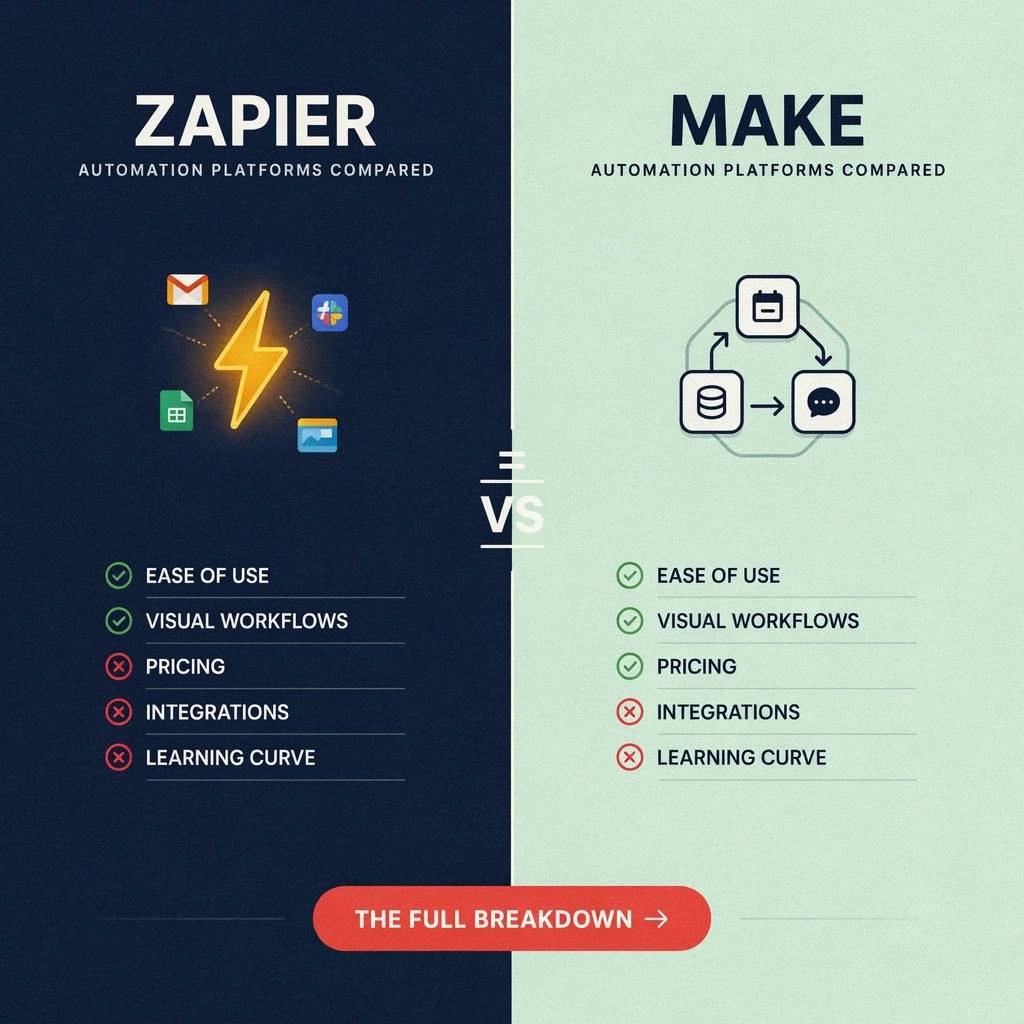
What Are Zapier and Make?
Before diving into the granular differences, it helps to understand the core DNA of each platform.
Zapier is the undisputed household name in the automation space. Built around the concept of the “Zap” (a simple trigger followed by one or more actions), Zapier has spent over a decade perfecting the user experience for beginners. Its primary selling point is sheer convenience: a massive, meticulously maintained app directory and a linear, step-by-step editor that makes setting up basic automations incredibly fast.
Make, which rebranded from Integromat a few years ago, takes a fundamentally different approach. It utilizes a visual workflow builder where automations (called “scenarios”) are built on an infinite canvas using interconnected nodes (modules). Make is renowned for its flexibility, granular control over data, and cost-efficiency. It treats automation less like a simple checklist and more like visual programming, making it a favorite among technical marketers and operations managers.
A crucial distinction lies in their terminology and billing metrics. Zapier counts tasks (specifically, the execution of action steps), while Make counts operations or credits (which includes every module execution, data parsing, and tool usage). Understanding this difference is the key to mastering Zapier pricing explained versus Make.com pricing explained.
Head-to-Head Comparison Overview
If you need a quick snapshot before diving into the deep end, here is a high-level summary of how the two platforms stack up against each other in 2026:
| Feature / Use Case | The Winner | Why? |
|---|---|---|
| Best for Beginners | Zapier | The linear UI is intuitive, and the setup wizard holds your hand through the entire process. |
| Best for Complex Workflows | Make | The visual canvas, routers, and array aggregators handle multi-path logic effortlessly. |
| Best for Large App Ecosystems | Zapier | With over 9,000 native apps, it is highly likely your niche tool already has a pre-built integration. |
| Best for Budget-Conscious Scaling | Make | Make’s operation-based pricing is significantly cheaper than Zapier’s task-based pricing at high volumes. |
While this table sets the baseline, the “right” choice ultimately depends on the nuances of your tech stack and your team’s technical comfort level. Let’s break down the specific categories.
Pricing & Cost Logic in 2026
Pricing is often the ultimate deciding factor in the Zapier vs Make debate. Both platforms offer free entry points, but their billing logic diverges sharply as your automation volume scales.
The Free Plans
If you are just testing the waters, Make free plan limits are generally more forgiving for complex testing. Make offers roughly 1,000 operations per month and allows multi-step scenarios, meaning you can build and test a robust workflow with branching logic without paying a dime.
Conversely, Zapier free plan limits restrict you to 100 tasks per month and, crucially, limit you to single-step Zaps (one trigger, one action). If you want to test a multi-step workflow in Zapier, you must upgrade to a paid tier.
Entry Paid Tiers and Scaling
When you move to entry-level paid tiers, the value proposition shifts.
- Zapier Professional: Starts around $19.99/month (billed annually) for roughly 750 tasks. As you scale, Zapier’s pricing tiers jump aggressively.
- Make Core: Starts around $9/month (billed annually) for 10,000 operations. The jump to higher tiers (Pro, Teams) is much more gradual and budget-friendly.
How Billing Units Differ: Tasks vs. Operations
This is where many buyers get tripped up.
In Zapier, a “task” is only counted when an action step successfully runs. Triggers are generally free. If your Zap is “New Lead (Trigger) -> Add to Sheets (Action) -> Send Slack Message (Action)”, one successful run equals 2 tasks.
In Make, an “operation” is counted every time any module executes, including the trigger, data routers, and built-in functions. That same workflow in Make would consume 4 or more operations per run.
AI Pricing Layers
In 2026, Zapier AI automation (like AI Agents and AI formatting steps) and the Make AI toolkit are heavily integrated into both platforms. Zapier often counts AI actions as standard tasks, though heavy AI-agent usage may require specific add-on credits. Make allows you to use its native AI modules (metered via standard operations) or connect your own external LLM API keys (like OpenAI or Anthropic), which shifts the AI compute cost off Make’s ledger and onto your own API bill, offering massive savings for AI-heavy workflows.
A Real-World Cost Scenario
Let’s look at a concrete example. Imagine you run an e-commerce store and process 5,000 orders per month. Your workflow has 1 trigger and 3 action steps (e.g., Add to CRM, Send Receipt Email, Notify Slack).
- Zapier Math: 5,000 runs × 3 action steps = 15,000 tasks. To cover this, you would likely need a mid-to-high tier Zapier plan, which can easily cost between $100 and $150+ per month.
- Make Math: 5,000 runs × 4 modules (1 trigger + 3 actions) = 20,000 operations. On Make, a plan covering 20,000 operations typically costs around $30 to $50 per month.
The Verdict: Make is typically 40–60% cheaper at scale. However, if your workflows are strictly linear and low-volume, Zapier’s pricing is predictable and easy to budget for.
Features & Workflow Capabilities
When comparing Zapier vs Make features, the contrast between a linear checklist and a visual canvas becomes immediately apparent.
Workflow Design and Logic
Zapier uses a top-down, linear editor. It is brilliant for straightforward “if this, then that” logic. However, when you need to introduce conditional logic (branching), Zapier relies on “Paths” and “Filters.” While powerful, Paths are historically gated behind higher-tier, more expensive plans.
Make is built on a node-based automation canvas. You drag and drop modules onto a visual board and connect them with lines. Branching is handled via “Routers,” which allow a single data stream to split into multiple parallel paths based on complex conditions. Crucially, Make includes routers, iterators, and aggregators on every plan, making multi-step automation workflows accessible even on a tight budget.
Data Transformation and Error Handling
If you need to manipulate data (e.g., parsing text, formatting dates, mapping JSON arrays), Make is vastly superior. Make’s built-in functions are robust, and its HTTP module allows for deep API customization without writing code. Zapier relies on “Formatter” steps, which are helpful but can consume multiple tasks and feel clunky for complex JSON handling.
Error handling is another area where Make shines. Make allows you to set up specific “error handlers” (e.g., “If the email fails to send, route the data to a fallback spreadsheet and alert me”). Zapier offers basic task history and simple retry options, but lacks the granular, visual error-routing that ops managers love.
Example Workflow: Facebook Ads Lead Routing
Let’s look at how each platform handles a common scenario: A new lead fills out a Facebook Ad form. If they are an Enterprise lead, send them to Salesforce and alert the VP of Sales via Slack. If they are an SMB lead, add them to Mailchimp and send a welcome email.
- In Zapier: You trigger off the Facebook Lead. You then use a “Path” feature. Path A checks if Company Size = Enterprise, then runs Salesforce and Slack actions. Path B checks if SMB, then runs Mailchimp and Email actions. It works perfectly, but requires a premium plan to use Paths.
- In Make: You place the Facebook module, connect it to a Router, and draw two distinct visual branches. You apply a filter on the connecting line for “Enterprise” on one side, and “SMB” on the other. The visual representation makes debugging incredibly easy, and this functionality is available on the cheapest paid tier.
Integrations & App Ecosystem
When it comes to the Zapier integrations list versus the Make integrations list, Zapier wins on sheer volume.
As of 2026, Zapier boasts over 9,000+ native app integrations. If you use a niche industry-specific CRM, a localized accounting tool, or a brand-new AI wrapper app, Zapier almost certainly has a pre-built connector for it. This makes Zapier for marketers and non-technical founders incredibly appealing; you rarely have to read API documentation to get your tools talking.
Make features a smaller, but highly robust, directory of roughly 2,000 to 3,000+ native integrations. Make covers all the major players (Google Workspace, Microsoft 365, Salesforce, HubSpot, Shopify, Slack, Airtable, Notion) with deep, feature-rich modules. However, if you use a highly obscure tool, you might not find a native Make app.
Does this mean Make loses? Not necessarily. Make’s HTTP and Webhook modules are best-in-class. Technical users and ops managers frequently bypass native apps entirely, using Make to connect directly to a software’s raw API. While this requires a bit more setup (and perhaps a quick ChatGPT prompt to help format the JSON payload), it results in a much faster, more reliable, and highly customized connection.
AI Automation & “Agent” Features
In 2026, AI is no longer just a buzzword; it is an embedded layer in business process automation software. Both platforms have aggressively integrated AI, but their approaches differ.
Zapier has leaned heavily into “AI Agents” and AI-powered actions. You can drop an AI step into a Zap to summarize text, draft emails, or categorize support tickets. Zapier’s Agents can act as autonomous workers that chain multiple tools together to make decisions. The UX is highly polished, allowing you to prompt the AI in plain English directly within the Zap builder.
Make offers a comprehensive Make AI toolkit. You can use visual AI modules to generate text, analyze images, or transcribe audio. Where Make excels is in orchestration. Because Make handles complex data arrays so well, you can build visual scenarios that scrape a website, pass the data through an LLM for analysis, format the JSON output, and push it to a database—all with granular control over the system prompts and temperature settings. Furthermore, as mentioned in the pricing section, Make makes it incredibly easy to plug in your own external API keys, giving you control over your AI spend.
For most small businesses, AI is an add-on capability. Both platforms handle standard AI tasks (like lead scoring or content generation) beautifully. The choice comes down to whether you prefer Zapier’s conversational, agent-based UI or Make’s visual, data-pipeline approach to AI orchestration.
Ease of Use, Learning Curve, and Team Collaboration
Onboarding & UX
Zapier is the undisputed king of the short learning curve. The interface is clean, the “Zap templates” library is vast, and the platform actively guides you through mapping fields from one app to another. If you are a solo founder who needs an automation running in the next 15 minutes, Zapier is the way to go.
Make has a notoriously steeper learning curve. The infinite canvas, while beautiful to power users, can overwhelm beginners. Concepts like “arrays,” “iterators,” and “aggregators” require a basic understanding of how databases structure information. However, once you cross the initial learning threshold, Make’s visual builder becomes vastly faster to navigate and edit than Zapier’s scrolling list.
Team Features
For agencies and small teams, collaboration is vital. Both platforms offer Zapier team plans and Make Teams plans that include shared folders, multi-seat access, and environment management (moving scenarios from a “sandbox” to “production”). However, Make’s visual canvas makes it much easier for a team to look at a workflow together on a screen share and understand the logic at a glance, whereas Zapier requires clicking through multiple layers of a linear list to understand the full scope of a complex Zap.
Security, Compliance, and Data Residency
For SaaS startups and agencies handling sensitive customer data, security is non-negotiable. Both Zapier and Make are enterprise-grade, cloud-hosted platforms that take security seriously.
Both offer data encryption in transit (TLS) and at rest, and both maintain compliance with major regulatory frameworks like GDPR and SOC 2. They provide extensive audit logs, allowing you to track exactly who edited a workflow and when.
It is important to note that both are strictly SaaS (cloud-hosted) environments. Unlike some open-source Zapier alternatives, you cannot self-host Zapier or Make on your own private servers. If your organization operates in a highly regulated industry (like healthcare or finance) requiring strict, localized data residency or on-premise hosting, you may need to look outside the standard offerings of both platforms, or consult their enterprise sales teams regarding specific regional data routing options.
Who Should Choose Zapier?
Zapier is the ideal choice if you prioritize speed, convenience, and breadth of integrations over granular control. You should choose Zapier if:
- You are a beginner or non-technical user: You want to set up automation tools for startups or small teams in minutes, without learning database logic.
- Your stack relies on niche apps: You use specialized, industry-specific software that requires Zapier’s massive 9,000+ app directory to connect properly.
- Your workflows are linear: Your automations are mostly straightforward “Trigger -> Action 1 -> Action 2” flows without complex branching.
- You value “set it and forget it”: You are willing to pay a premium for a highly polished, low-maintenance UX.
Ideal Use Cases: Basic CRM automation, syncing Facebook Ads leads to a spreadsheet, simple email marketing triggers, and cross-posting social media content.
Who Should Choose Make?
Make is the ideal choice if you value cost-efficiency, visual logic, and deep data manipulation. You should choose Make if:
- You are an ops manager or technical marketer: You are comfortable with (or eager to learn) a visual workflow builder and concepts like arrays and JSON.
- You run complex workflows: Your processes require heavy branching, loops, error handling, and data transformations.
- You are budget-conscious at scale: You process high volumes of data and want to take advantage of cheap automation tools for small business that don’t penalize you for multi-step actions.
- You rely on custom APIs: You frequently use Webhooks and HTTP requests to connect tools that don’t have native integrations.
Ideal Use Cases: Advanced lead automation routing, custom data pipelines between Airtable and Shopify, multi-tool orchestration, and API-heavy SaaS stacks.
Alternatives & When to Consider Something Else
While Zapier and Make are the top choices for SaaS automation platforms, they aren’t the only options in 2026.
- n8n: If you have a developer on your team and want a self-hostable, node-based automation tool, Zapier vs Make vs n8n is a common debate. n8n is incredibly powerful, developer-friendly, and allows you to host the automation engine on your own servers, solving strict data privacy concerns.
- Native Integrations: Before paying for an automation platform, check if your tools already talk to each other. For example, HubSpot and Salesforce have massive native integration ecosystems. Shopify has thousands of apps in its own store. Don’t pay for Zapier or Make if a native, free integration already exists.
- Custom Code: For highly specific, mission-critical data pipelines, a simple serverless function (like AWS Lambda or Vercel) written in Python or Node.js might be cheaper and faster than any no-code tool.
However, for 90% of solo founders, freelancers, and small marketing teams, Zapier and Make remain the undisputed champions because they offer the perfect blend of speed, flexibility, and zero infrastructure management.
Conclusion & Decision Framework
The Zapier vs Make 2026 debate ultimately boils down to a classic trade-off: ease and breadth (Zapier) versus power and cost-efficiency (Make).
To make your final decision, run your business through this quick checklist:
- How complex are your workflows? (Linear = Zapier; Branching/Visual = Make)
- How many apps do you need to connect? (Obscure/Niche = Zapier; Major Apps/APIs = Make)
- What’s your monthly automation volume? (Low volume = Zapier is fine; High volume = Make will save you hundreds of dollars).
- How technical is your team? (Non-technical = Zapier; Ops-minded/Willing to learn = Make)
The Final Call to Action: Don’t just read about it—build it. Both platforms offer robust free tiers. Take one real-world bottleneck in your business (like routing a new lead or archiving email attachments) and try building it in both Zapier and Make. The platform that makes you feel empowered rather than frustrated is the one you should choose to scale your business in 2026.
Frequently Asked Questions (FAQ)
Is Zapier or Make better for beginners?
Zapier is significantly better for beginners. Its linear, step-by-step interface and massive library of pre-built templates allow non-technical users to launch their first automation in minutes. Make’s visual canvas requires a basic understanding of data logic, resulting in a steeper initial learning curve.
Is Make cheaper than Zapier?
Yes, in most scaling scenarios, Make is 40% to 60% cheaper than Zapier. Because Make allows complex branching and data manipulation on lower-tier plans, and because its operation-based pricing scales more gently than Zapier’s task-based pricing, high-volume users will see massive savings with Make.
Can Make replace Zapier?
Absolutely. For many operations managers and technical marketers, Make completely replaces Zapier by offering deeper control over data, better error handling, and visual debugging. However, if your business relies on dozens of highly niche apps that only have native Zapier integrations, you may find yourself keeping a basic Zapier account just to bridge those specific gaps.
Do I need coding skills for Make or Zapier?
No. Both are strictly no-code automation platforms. However, having a basic understanding of how APIs, webhooks, and JSON data structures work will allow you to unlock the true power of Make, and utilize the code-step features in Zapier when necessary.