
Your new user just signed up. They’re curious, maybe even excited. You have, on average, less than five minutes to show them why your product is worth their time — and if you don’t, they’ll churn before they’ve ever experienced your core value.
SaaS onboarding is the structured process of guiding a new user from sign-up to their first value moment — the instant they realize your product solves their problem. It’s not a welcome email, a product tour, or a training session in isolation. It’s the entire orchestrated journey that turns signups into active, retained users.
The stakes are enormous. In 2026, only 42% of SaaS users complete onboarding, and an average first-week churn rate of 18% means nearly one in five users leaves before the trial is even warm (SaaSStatsHub, 2026). Users who do complete onboarding show 3.4× higher retention at 90 days and 4.2× higher lifetime value. Put simply: the onboarding flow is the single highest-leverage place to reduce churn and accelerate trial-to-paid conversion.
This guide walks product managers, customer success teams, and founders through eight battle-tested SaaS onboarding best practices — with real metrics, examples, and a 30/60/90-day implementation checklist.
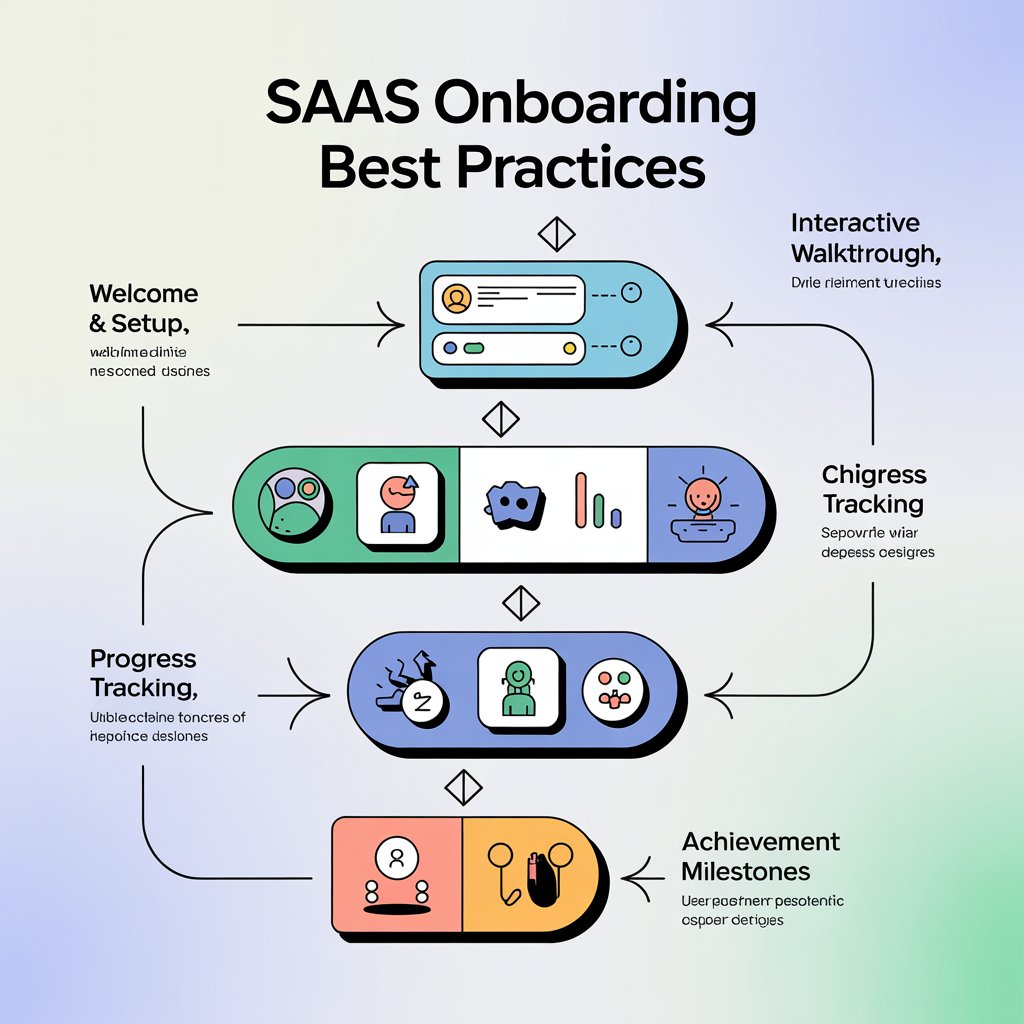
1. Define Your Onboarding Goals Up Front
Before you build a single tooltip, you need to know what success looks like. Well-designed onboarding flow design starts with measurable goals — not vague ambitions like “better user experience.”
The Four Primary Onboarding Goals
- Time-to-value (TTV): The duration from sign-up to the user’s first meaningful outcome. Best-in-class SaaS products deliver first value in 2–5 minutes; complex B2B platforms target under 24 hours.
- Activation rate: The percentage of signups who complete a defined “key action” within a window (e.g., first 7 days). The 2026 cross-industry median for B2B SaaS is 38% (Userpilot/Perspective AI).
- Product stickiness: Whether the user returns after initial activation. Amplitude’s “7% rule” is a useful heuristic — if at least 7% of a new cohort returns on Day 7, you’re in the top quartile for activation performance.
- Feature discovery & adoption: The percentage of activated users who go on to use 2+ core features within their first 30 days.
Make Goals Measurable with a North Star Framework
Tie your onboarding to a single North Star metric that reflects real user value. For a project management SaaS, that might be “User creates a project, invites a teammate, and completes a task within 7 days.”
Use SMART goals: Specific, Measurable, Achievable, Relevant, and Time-bound. For example:
“Increase activation rate from 32% → 50% and reduce median TTV from 3 days to under 6 hours within the next quarter.”
✅ Checklist — Define Your Onboarding Goals
- [ ] Identify your product’s “aha moment” (first value moment)
- [ ] Define the activation event (the behavior that proves value was received)
- [ ] Set a target TTV window (minutes, hours, or days)
- [ ] Pick 1 North Star metric tied to retention or revenue
- [ ] Instrument tracking for every onboarding step before you optimize
2. Map the Ideal User Journey
User onboarding for SaaS fails most often when designers assume one persona. In reality, an admin, an end user, and a power user arrive with very different needs — and your onboarding should branch accordingly.
Core Personas and Their Needs
| Persona | Primary Need | Onboarding Focus |
|---|---|---|
| Admin / Buyer | Setup, compliance, team rollout | Invite flow, SSO, billing, permissions |
| End User | Immediate productivity | Quick win, sample data, guided first task |
| Power User | Depth, integrations, customization | Advanced features, API, templates |
The Seven Stages of an Onboarding Flow
- Sign-up — Frictionless entry, progressive profiling
- First login — Context-setting welcome
- Product tour — Optional, skippable, goal-based
- Setup tasks — Minimum viable configuration
- First success event — Activation milestone
- Ongoing engagement — Drip education, in-app prompts
- Habit formation — Return triggers (notifications, digests, value reminders)
Example: Onboarding Milestone Path (Project Management SaaS)
🛤️ New User Checklist — “TaskFlow”
- ✅ Create an account (30 seconds)
- ✅ Choose a template (workspace, sprint board, or calendar)
- ✅ Create first task
- ✅ Invite a teammate
- ✅ Complete a task
- 🏆 Activated! → Unlock “Power Features” prompt
Suggested visual: Onboarding funnel diagram showing conversion rates per stage.
3. Simplify the Sign-Up and First-Run Experience
The biggest onboarding killer is friction before value. Research shows that every additional minute added to an onboarding flow lowers trial-to-paid conversion by approximately 3% (Arcade, 2026). If your sign-up takes 10 fields and email verification before a single feature is unlocked, you’re already losing.
Progressive Profiling Over Big-Bang Forms
Use progressive profiling: collect the minimum to get the user in, then ask for more as context demands. For example:
- Sign-up: Email + password (or Google/GitHub SSO)
- After first login: Role + company size (for personalization)
- After activation: Phone, department, billing info
Required vs. Optional Fields
Only make a field required if the product literally cannot function without it. Company name, job title, and phone number are almost never essential to first value. Delay email verification until after the user has experienced value — or skip it entirely for freemium/PLG motions.
Microcopy That Converts
The welcome screen is your onboarding’s front door. Strong microcopy sets expectations and reduces cognitive load:
“Welcome to TaskFlow! Let’s get your first project running in under 2 minutes. We’ll only ask a few quick questions — you can skip any of them.”
Pair that with a clear primary CTA (“Start my first project”) and a visible skip option. Reducing drop-offs at the welcome screen alone can lift activation by 10–15%.
4. Use Guided Product Experiences (Interactive Help)
In 2026, the most effective onboarding UX pattern is contextual onboarding — guidance that appears at the moment of need, not a linear tour forced on every user.
The Core Building Blocks
- Interactive product tours: Click-through walkthroughs the user controls, not passive slideshows.
- Contextual tooltips: Small hints tied to specific UI elements (“Click here to add your first task”).
- Onboarding checklists: A visible progress list (3–5 items) that drives users toward activation.
- Interactive walkthroughs: Hands-on guided paths where users perform real actions, not watch demos.
Sequence Guidance by Progression
Show what the user needs now, and hide advanced features until later. For example, a collaboration tool might reveal:
- Session 1: Create a doc, share a link
- Session 2: Invite a teammate, add comments
- Week 2: Templates, integrations, API
Progressive disclosure prevents feature overload — the #1 reason users abandon complex SaaS products.
Example: “First Value” In-App Checklist
📋 Onboarding Checklist — “MailForge”
- [ ] Connect your email account (1 click)
- [ ] Import 5+ contacts
- [ ] Send your first campaign
- 🎯 Reward: Unlock analytics dashboard
Completion benchmark: Best-in-class flows hit 67% checklist completion with progress indicators; average is only 35% (Wyzowl/AMW).
5. Personalize and Segment Your Onboarding
One-size onboarding is dead. The 2026 Benchmark Report from Perspective AI shows that personalized onboarding flows consistently outperform generic ones — in some verticals, by 4.8× at the top quartile.
Dimensions for Segmentation
- Persona: Admin vs. end user vs. executive
- Company size: SMB, mid-market, enterprise
- Industry: Fintech, healthcare, e-commerce, etc.
- Use case / intent: Captured during sign-up (“I want to automate reports”)
- Behavioral: Fast vs. slow activators, feature usage patterns
Dynamic Content and Conditional Flows
Branch your onboarding based on early signals. If a user selects “Marketing” as their role at sign-up, route them through a marketing-specific template gallery. If they pick “Engineering,” surface API docs and CI/CD integrations first.
Use conditional logic inside your product (e.g., Userpilot, Appcues, or Customer.io) to show different checklists, tours, and CTAs.
Targeted Email Sequences by Persona
A marketing lead and a developer lead should get very different welcome emails. Example:
📧 Persona-Specific Welcome (Example)
- To Marketing Manager: “Here are 5 pre-built email templates to launch your first campaign in under 10 minutes.”
- To Developer: “Here’s our quickstart repo and a 3-minute API walkthrough.”
6. Combine Onboarding with Education (Product Content)
Onboarding and education are not the same thing, but they should be tightly coupled. A user who understands why a feature matters is far more likely to adopt it long-term.
The Education Stack
- Help center articles — Searchable, linked contextually from the product
- Short videos (< 2 min) — Embedded at key “first use” moments
- Live webinars — Weekly “Office Hours” for new cohorts
- Contextual FAQs — Inline answers next to complex features
Timing Matters
Deliver education in bite-sized doses over the first 7 days. A 30-minute onboarding video on Day 1 is overwhelming; a 90-second tip inside the app after first login is useful.
Example: 5-Email Onboarding Drip Sequence
📨 Onboarding Email Sequence — “DataPulse”
- Day 0 — “Welcome — here’s your quickstart” → Get into the product
- Day 1 — “Your first dashboard in 3 minutes” → Drive activation
- Day 3 — “3 shortcuts our power users love” → Boost feature adoption
- Day 5 — “Your weekly report is ready” → Create return habit
- Day 7 — “How’s it going? + 1:1 offer” → Trigger CS handoff for stalled users
7. Human Touch and Customer Success Handoffs
No matter how good your self-serve onboarding is, some accounts need a human. The question is when and who.
When to Trigger Human Outreach
- High-ARR or Enterprise accounts (>$5K ARR) — Sales-assisted onboarding still sees the lowest first-week churn (~8% vs. 22% for pure PLG) (SaaSStatsHub).
- Stalled TTV: User signed up 3+ days ago but hasn’t activated.
- Trial expiration approaching: 7 days left with no core feature adoption.
- High-intent signals: Visited pricing page 3×, invited 5+ teammates.
Who Gets Involved
- Customer Success Managers (CSMs) for mid-market and enterprise
- Onboarding specialists for complex implementations
- Live chat / AI chatbots for PLG (29% of SaaS companies now use AI-powered onboarding assistants)
- Sales handoff for bottom-up PLG accounts going enterprise
Sample Outreach for a Stalled Trial User
Subject: “You’re 80% there — let me help”
Hi [Name],
I noticed you signed up for DataPulse but haven’t connected a data source yet. That’s usually where folks get stuck — and I’d love to walk you through it in 5 minutes over Zoom.
Alternatively, here’s a 90-second video that covers the same ground: [link]
— Alex, Customer Success
8. Measure, Iterate, and Reduce Churn
The final — and most important — onboarding best practice for 2026 is treating onboarding as a loop, not a launch. You ship v1, instrument it, run experiments, and iterate.
Key Onboarding Metrics
| Metric | Target | Why It Matters |
|---|---|---|
| Activation rate | >50% (B2B SaaS) | Directly predicts retention |
| Time-to-first-value (TTFV) | <1 hour (PLG) | Drives Day-7 retention |
| Feature adoption rate | >60% use 2+ core features | Signals stickiness |
| Onboarding NPS | >50 | Proxy for UX satisfaction |
| First-week churn | <10% | Largest churn window |
| Retention cohorts (D7, D30, D90) | Top-quartile vs. benchmark | Long-term health |
A/B Testing Onboarding Flows
Run controlled experiments on every meaningful change. A classic experiment:
🧪 Experiment: In-App Checklist vs. Email-Only Onboarding
- Hypothesis: Adding an in-app checklist will increase activation rate by 15%.
- Variant A: Welcome email + help center (control)
- Variant B: Welcome email + in-app 4-step checklist
- Primary KPI: Activation rate within 7 days
- Secondary KPIs: TTV, Day-30 retention, NPS
- Duration: 4 weeks or 2,000 new signups, whichever comes first
Tracking Funnels
Instrument every step of your onboarding funnel (sign-up → welcome → first action → activation → habit) and identify the single biggest drop-off. Improving onboarding completion by just 10 percentage points (42% → 52%) has been shown to increase 12-month retention by 24% (SaaSStatsHub).
Conclusion: Your 30/60/90-Day Onboarding Action Plan
Great onboarding is not a project — it’s a discipline. Here’s the pragmatic checklist to implement over the next three months:
🗓️ 30 Days — Foundation
- Define your activation event and North Star metric
- Instrument your current onboarding funnel
- Remove top 3 friction points in sign-up
🗓️ 60 Days — Guidance
- Launch an in-app onboarding checklist
- Build your 5-email welcome drip sequence
- Add contextual tooltips for the first-value path
🗓️ 90 Days — Optimize
- Run your first A/B test (checklist vs. control)
- Implement persona-based segmentation
- Define CS handoff triggers for stalled users
The gap between average and best-in-class onboarding has never been wider — but the playbook has never been clearer. Start with TTV, instrument everything, and iterate weekly.
👉 Next Steps
- Run a free onboarding audit on your own product — walk through your flow as if you were a brand-new user.
- Download our free 30/60/90 Onboarding Checklist template (PDF / Notion) to share with your team.
- Book a 20-minute demo to see how top SaaS teams automate onboarding experiments at scale.
Which section resonated most with your team? Drop a comment or share this with your product & CS leads — and let’s build onboarding that actually sticks.