
Most teams start their operational journey with spreadsheets. They are familiar, flexible, and incredibly easy to share. But as your business grows, those endless rows and columns inevitably turn into a tangled mess of duplicated data and broken formulas. You end up with five different versions of a client list, and updating a single project status means manually editing three different sheets.
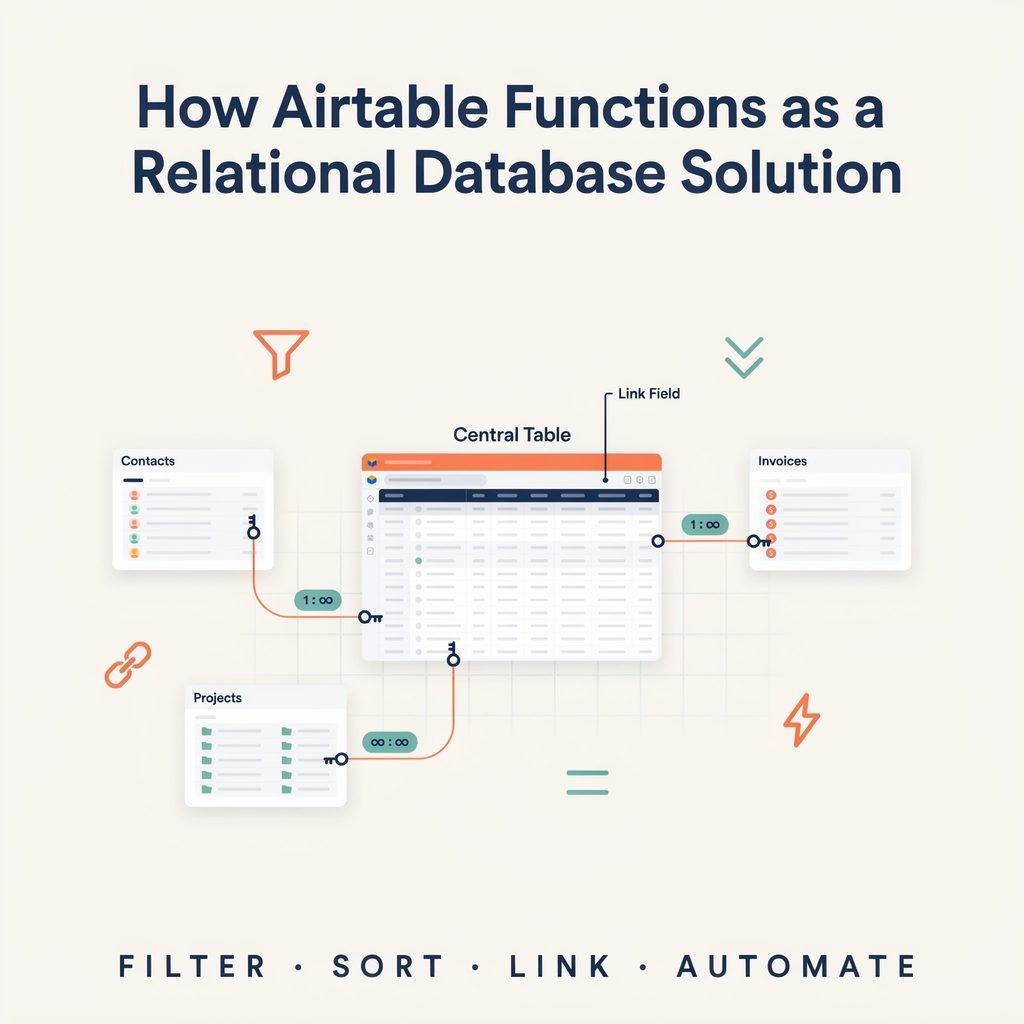
This is where understanding how Airtable functions as a relational database solution becomes a massive game-changer for modern teams. Airtable looks like a colorful spreadsheet on the surface, but underneath, it operates as a powerful relational database. Instead of duplicating a client’s name, email, and billing address across ten different project tabs, you create a single “Clients” table and link it directly to your “Projects” table.
In this comprehensive guide, we will break down exactly what a relational database is, how Airtable handles complex data modeling without requiring you to write a single line of code, and how you can build a connected, automated system for your business. Whether you are a small-business owner, a marketer, or an operations manager, this guide will show you how to move beyond the limitations of traditional spreadsheets.
What Is a Relational Database?
Before diving into the software itself, let’s define the core concept. A relational database is a method of organizing data into distinct, logical tables that are connected by common relationships.
Think of it like a highly organized digital filing cabinet. Instead of throwing every piece of information into one giant, chaotic folder (which is essentially what a single spreadsheet tab is), you create separate folders for “Customers,” “Invoices,” and “Products.” When you generate a new invoice, you don’t rewrite the customer’s address or the product’s description from scratch. You simply reference the customer and product from their respective folders.
Key concepts of a relational database include:
- Tables: Distinct categories of data (e.g., Customers, Orders, Inventory).
- Records: Individual entries or rows within a table (e.g., John Doe, Invoice #1042).
- Fields: The specific attributes or columns of data (e.g., Name, Email, Price, SKU).
- Primary Keys: A unique identifier assigned to every single record so it can be reliably referenced.
- Relationships: How different tables connect to one another. A single customer can have many orders (one-to-many). A university student can take many classes, and a single class can have many students (many-to-many).
By separating data into normalized tables, you eliminate redundancy. If John Doe moves to a new house, you update his address in one single place. Every past and future invoice linked to him automatically reflects the new address without any manual copy-pasting.
How Airtable Functions as a Relational Database Solution
Airtable translates these traditional, somewhat rigid database concepts into a highly visual, user-friendly interface. When exploring the Airtable database structure, you will quickly notice it completely removes the need for complex database administration or SQL (Structured Query Language) coding.
Airtable lets users connect related tables simply by clicking a button and selecting a destination. When you link a record in your “Tasks” table to a record in your “Projects” table, Airtable creates a dynamic bridge between them. This means your Airtable relational database maintains a strict single source of truth. You never have to worry about data falling out of sync across different tabs or team members working off outdated information.
Because it is a no-code relational database, operations managers, freelancers, and marketers can design complex data models that would normally require a dedicated software engineer. You define the business entities, establish the relationships, and let the platform handle the underlying architecture securely in the cloud.
Airtable’s Core Database Building Blocks
To build effectively, you need to understand the core components of Airtable tables and fields. The platform uses a specific hierarchy that makes scaling your data incredibly intuitive.
- Bases: The highest level of organization. Think of a Base as an entire database workspace dedicated to a specific department or function (e.g., “Marketing Base” or “HR Base”).
- Tables: Inside a Base, you have Tables. These are visually equivalent to sheets in a spreadsheet or tables in a traditional SQL database.
- Records: The individual rows of data. Unlike a spreadsheet cell, every record in Airtable is essentially its own expandable card containing all the details, attachments, and comments for that specific entry.
- Fields: The columns that define the type of data you are collecting. Airtable offers rich field types far beyond simple text and numbers.
- Field Types: You can use attachments, checkboxes, dropdowns (single/multi-select), dates, barcodes, and URLs. More importantly, you have specialized relational field types:
- Linked-record fields: Connects a record directly to another table.
- Lookup fields: Pulls specific data through a linked record (e.g., showing a linked client’s email address on a project record).
- Rollup fields: Performs mathematical calculations on linked records (e.g., summing up the total hours logged on all tasks linked to a parent project).
- Formula fields: Calculates values based on other fields within the exact same record.
- Views: Different ways to visualize the exact same underlying table data. You can view your data as a Grid (spreadsheet), Kanban board, Calendar, Gallery, or Gantt chart without duplicating a single record.
Linked Records: The Heart of Airtable’s Relational Model
If there is one feature that definitively separates Airtable from a standard spreadsheet, it is Airtable linked records. This feature is the bridge that turns isolated, static lists into a dynamic, breathing relational database.
When you create a linked-record field, you tell Airtable, “Look at Table B and let me select records from it to attach here.” This simple action creates a two-way street of information.
Consider these practical examples:
- Clients linked to Projects: One client can have many active projects (one-to-many).
- Projects linked to Tasks: One project contains dozens of individual tasks (one-to-many).
- Products linked to Orders: A single order can contain many products, and a single product can appear in thousands of different orders (many-to-many).
- Authors linked to Blog Posts: One author can write many posts, and a single post can have multiple co-authors (many-to-many).
Airtable many-to-many relationships are handled seamlessly. If a comprehensive guide is co-authored by Jane and Mark, you simply link both of their records from the “Writers” table to that specific “Blog Post” record. Airtable automatically updates both Jane’s and Mark’s profiles to show the new article in their respective lists of published work, without you having to type the article title twice.
Airtable vs. Google Sheets and Excel
The most common question new users ask is about the fundamental difference between Airtable vs spreadsheet tools like Excel or Google Sheets. While they share a similar grid-like aesthetic, their underlying architecture is fundamentally different.
| Feature | Airtable (Relational Database) | Spreadsheets (Excel/Google Sheets) |
|---|---|---|
| Data Structure | Structured records and strict field types. | Free-form cells; data can be typed anywhere. |
| Relationships | Native linking between tables; prevents duplication. | VLOOKUP/XLOOKUP; prone to breaking and duplication. |
| Data Validation | Strict (e.g., a date field will only accept dates). | Loose (users can type “TBD” in a date column). |
| Scalability | Handles complex relational models well up to its record limits. | Slows down and crashes with massive, formula-heavy files. |
| Collaboration | Granular permissions, real-time syncing, commenting on records. | Great for simultaneous cell editing, but hard to manage workflows. |
| Formulas | Field-level formulas applied to the whole column uniformly. | Cell-level formulas that can be inconsistently dragged or copied. |
| Automation | Built-in native triggers and actions. | Requires external scripts (Apps Script, VBA) or third-party tools. |
| Best Use Case | Managing connected workflows, CRMs, and tracking systems. | Financial modeling, ad-hoc data analysis, and quick calculations. |
Spreadsheets are still vastly superior for heavy financial modeling, ad-hoc statistical analysis, and raw number crunching. But for managing business operations, tracking project statuses, or running a database of clients, Airtable provides a much safer, more scalable environment.
Step-by-Step Example: Build a Relational Content Database in Airtable
Let’s look at a realistic scenario. Imagine you run a content marketing team and need to track ideas, writers, SEO targets, and published work. Here is how you approach Airtable data modeling for a comprehensive Content Database.
Step 1: Create your Core Tables
You create five core tables within your “Marketing Base”:
- Writers: Stores freelancer and staff details (Name, Email, Rate per word).
- Keywords: Stores target SEO keywords (Keyword, Search Volume, Difficulty).
- Content Briefs: The core table tracking the status of articles (Title, Status, Due Date).
- Published Articles: Details of the live posts (URL, Publish Date, Word Count).
- Backlinks: Tracks external sites linking to your content.
Step 2: Establish the Relationships
- In the Content Briefs table, add a linked-record field to the Writers table. Now you can assign an article to a specific writer.
- Add another linked-record field in Content Briefs to the Keywords table. A single brief might target multiple related keywords.
- Link Published Articles to Content Briefs so you know exactly which approved brief turned into which live URL.
- Link Backlinks to Published Articles to track which live posts are earning external authority.
Step 3: Add Lookup and Rollup Fields
- In the Writers table, add an Airtable lookup field pulling the “Status” of all linked Content Briefs. Now, when you look at Jane’s profile, you instantly see how many articles she currently has in “Drafting” vs. “Editing.”
- Add an Airtable rollup field in the Writers table to calculate the total word count of all their Published Articles. Multiply that rollup by their “Rate per word” using a Formula field, and you have automatically calculated their monthly pay without touching a calculator.
- In the Published Articles table, use a Rollup field to count exactly how many Backlinks are linked to that specific post, giving you an instant SEO performance metric.
This setup ensures that updating an article’s status in the Briefs table instantly updates the Writer’s dashboard and the Keyword performance tracker without any manual copying and pasting.
Advanced Relational Features in Airtable
Once your core tables and linked records are set up, you can leverage advanced features to turn your database into a fully functioning, custom application.
- Airtable workflow automation: You can set up powerful triggers and actions. For example, “When a record’s Status changes to ‘Approved’, send a Slack message to the design team, generate a PDF attachment, and move the record to the ‘Ready for Publish’ view.”
- Airtable interface designer: This feature allows you to build custom dashboards, portals, and internal apps. You can create a clean, simplified UI for your freelance writers to submit drafts, hiding the complex backend database structure from them entirely while maintaining strict Airtable data validation.
- Airtable integrations: Airtable plays nicely with the rest of your tech stack. You can automatically pull in new Shopify orders, sync Google Calendar events, or push data to Salesforce using native integrations or middleware tools like Zapier and Make.
- Conditional Logic: You can use formula fields to create dynamic alerts, such as highlighting records in red if a project deadline is less than three days away and the status is not marked “Complete.”
- API Access: For teams with developer resources, Airtable offers a robust REST API to push and pull data programmatically, connecting your no-code database to custom internal tools.
Practical Use Cases: How Airtable Functions as a Relational Database Solution
Because of its immense flexibility, Airtable is used across almost every business function to replace messy folder structures and disconnected SaaS tools.
- Airtable CRM: Sales teams use it to track Leads, Companies, Interactions, and Deals. Linking a communication record to a company ensures the entire sales team sees the complete, chronological history of a client relationship.
- Airtable project management database: Agencies track Clients, Projects, Tasks, and Time Logs. Managers use Rollup fields to see total hours spent per project compared to the original retainer budget to ensure profitability.
- Inventory and Product Tracking: E-commerce brands link Products to Suppliers, Purchase Orders, and Warehouses to track stock levels, automate reorder thresholds, and manage supply chain logistics.
- HR and Employee Records: HR departments manage Employees, Departments, Issued Equipment, and Time Off requests in a centralized, secure hub that updates automatically when an employee changes roles.
- Event Planning: Planners link Venues, Speakers, Sponsors, and Attendees to manage complex conference logistics, dietary restrictions, and session schedules.
- Product Roadmap: Product teams link User Feedback, Feature Requests, and Sprint Cycles to prioritize software development based on actual, quantified customer demand.
Benefits of Using Airtable as a Relational Database Solution
Why are so many fast-growing companies migrating away from legacy systems and fragmented spreadsheets to Airtable?
- No-code database building: You don’t need an IT department to build, modify, or scale your systems. Business users can adapt the database on the fly as workflows change.
- Reduced duplicate data entry: Linked records mean you input core data once and reference it everywhere, virtually eliminating typo-induced errors.
- Multiple views of the same data: Marketers can look at a Calendar view of content deadlines, while managers look at a Grid view of budgets, all pulling from the exact same underlying records.
- Easy collaboration: Teams can comment on specific records, tag each other, and attach files directly to the relevant data point rather than losing context in email threads.
- Better organization: Structured field types and strict validation prevent the messy, inconsistent data that plagues traditional spreadsheets, making reporting accurate and reliable.
Limitations and When Airtable Is Not the Right Choice
While powerful, Airtable is not a silver bullet for every data problem. It is crucial to understand its boundaries before migrating your entire tech stack.
- Record Limits: Airtable bases have strict record limits depending on your pricing tier (e.g., 50,000 records on the Team plan, up to 250,000+ on Enterprise). It is not meant for “big data” or consumer-facing user logs.
- Not a Full SQL Replacement: Do not claim Airtable is a full replacement for enterprise databases such as PostgreSQL, MySQL, or SQL Server. If you are building a high-traffic consumer mobile app backend that requires millions of simultaneous read/write operations, you need a traditional relational database.
- Complex Querying: Airtable’s filtering, sorting, and grouping are excellent for business users, but it lacks the advanced, complex multi-table join capabilities and sub-queries of raw SQL.
- Performance Constraints: Bases with tens of thousands of complex, nested Rollup and Lookup fields can experience slow load times and API rate limits.
- Database Administration: Airtable does not offer the granular, row-level security and complex permissioning structures required by highly regulated enterprise environments (like HIPAA-compliant healthcare databases) without relying on third-party wrapper applications.
Best Practices for Designing an Airtable Relational Database
To get the most out of the platform and avoid creating a “spaghetti database,” follow these Airtable data modeling best practices:
- Start with one base per major business function: Don’t put your CRM, HR, and Inventory in the exact same Base. Keep them separate but connected via integrations or synced tables to maintain performance.
- Create separate tables for distinct entities: If you find yourself creating columns like “Task 1,” “Task 2,” and “Task 3” on a project row, you desperately need a separate “Tasks” table.
- Avoid repeating data: Normalize your data. Store “Client Industry” in the Clients table, not on every single Project record. Use Lookup fields to display it where needed.
- Use consistent naming conventions: Name your fields clearly so anyone on the team can understand them (e.g., use “Client Name” instead of just “Name” to avoid confusion when linking tables).
- Use views strategically: Create specific, filtered views for different teams. A “My Tasks” view filtered by the current user prevents employees from feeling overwhelmed by the entire company’s workload.
- Document your structure: Keep a “Read Me” table or a synced document explaining how your tables relate to one another. This is a lifesaver when onboarding new team members or handing off a project.
FAQ Section
Is Airtable a relational database?
Yes. While it looks like a spreadsheet on the front end, Airtable’s underlying architecture is a true relational database that uses tables, records, and linked relationships to organize and connect data.
Can Airtable replace SQL databases?
For internal business operations, tracking, and lightweight internal apps, yes. However, for high-traffic consumer applications, big data storage, or complex backend infrastructure, traditional SQL databases (like PostgreSQL or MySQL) are still required.
What are linked records in Airtable?
Linked records are specialized fields that connect a row in one table to a row in another table, allowing you to build relational data models without duplicating information across your workspace.
Can Airtable handle many-to-many relationships?
Absolutely. Airtable handles many-to-many relationships natively. For example, a single blog post can be linked to multiple authors, and a single author can be linked to multiple blog posts simultaneously.
Is Airtable better than Google Sheets?
It depends entirely on the use case. For financial modeling and ad-hoc math, Google Sheets is better. For managing projects, tracking clients, and building connected operational workflows, Airtable is vastly superior due to its relational nature and automation capabilities.
Can Airtable be used as a CRM?
Yes. Many small to mid-sized businesses use Airtable as a highly customizable Airtable CRM, linking companies, contacts, deal stages, and communication logs in one visual hub.
Does Airtable support automation?
Yes. Airtable has a robust native automation feature that allows you to trigger emails, Slack messages, record updates, and third-party integrations based on specific changes in your data.
What is the difference between an Airtable base and a table?
A Base is the entire workspace or database environment (like a whole Excel workbook or a SQL database instance). A Table is a specific collection of records within that Base (like a single tab inside an Excel workbook).
Conclusion
Understanding how Airtable functions as a relational database solution is the first step toward taking total control of your business operations. By moving away from disconnected, fragile spreadsheets and embracing a linked-record architecture, you eliminate redundant data entry, drastically reduce human errors, and give your entire team a reliable single source of truth.
While it may not replace enterprise-grade SQL servers for massive, consumer-facing applications, Airtable is the ultimate no-code relational database for modern, agile teams. Whether you are building a sales pipeline, an Airtable project management database, or a complex editorial content calendar, the ability to visually design your data relationships and automate your daily workflows makes it an indispensable tool. Start small, map out your core business entities, link them together logically, and watch your operational efficiency skyrocket.